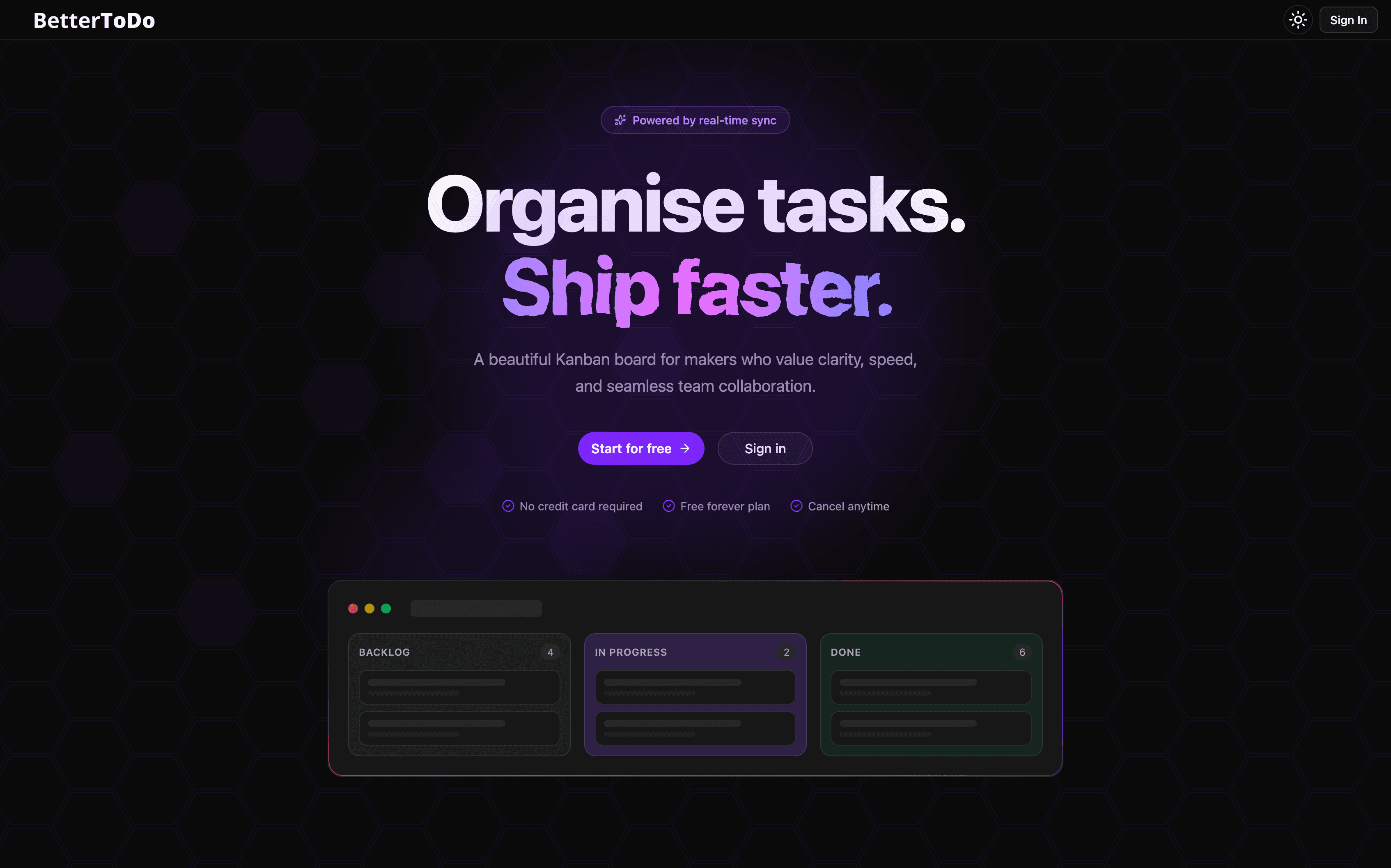
Most project management platforms sit at two extremes.
On one side, you have toy to-do apps. They look clean when you first try them, but the moment you need actual team workflows like file attachments, custom fields, client permissions, or due date reminders, they fall apart.
On the other side, you have heavy enterprise trackers. They can do almost anything, but they feel slow to navigate, lock your data onto someone else's cloud, and hit you with steep per-seat monthly bills just to let your team update cards.
BetterTodo is an attempt to solve that middle ground.
A fast, responsive Kanban and workflow management app that gives teams full control of their data. You can run it on your own infrastructure or VPC, avoid SaaS seat pricing, and get instant updates across clients without managing custom WebSocket infrastructure.
Here is a full breakdown of why BetterTodo was built, how each feature works, and how the system fits together.
Walkthrough & Video Tutorial
Here is a quick walkthrough of how BetterTodo looks and feels in everyday use: managing boards, using the inspector, sharing client links, and seeing live updates.
Core Use Cases
BetterTodo was designed around real scenarios where existing tools get in the way:
- Engineering sprints: Running sprint boards with backlogs, in-progress tasks, and code reviews, with markdown descriptions and quick card editing.
- Client collaboration: Agencies sharing project roadmaps and review boards with clients via read-only viewer links, preventing accidental edits or deleted items.
- Cross-department teams: Separating engineering, marketing, and operations under distinct workspaces while keeping access control clean.
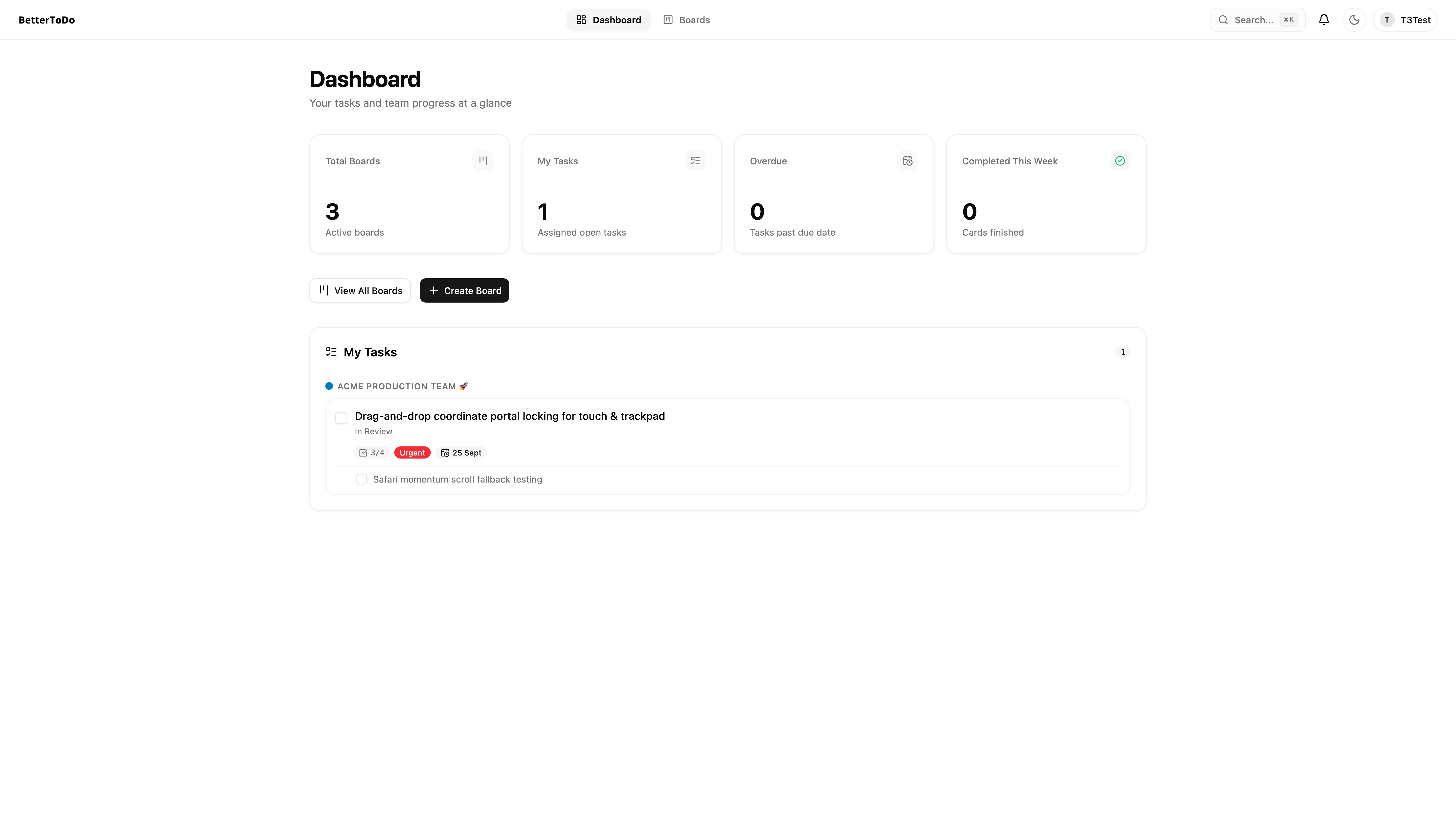
- Time-sensitive operations: Tracking upcoming deadlines, sprint milestones, and overdue items with live priority and status badges.
- Privacy-first teams: Running project tracking entirely inside a private VPC or private cloud tenant without third-party telemetry or per-seat billing.
- Personal task aggregation: Using the personal dashboard to see every card assigned to you across every workspace in one unified view.
Architecture and Tech Stack
The stack was chosen to keep UI interactions fast while removing the complexity of hand-rolled real-time servers.
| Layer | Choice | Why It Was Chosen |
|---|---|---|
| Frontend | React 19 + Vite | Fast local iteration and clean component architecture. |
| Routing | TanStack Router | Type-safe, file-based routing with search param validation. |
| Styling | Tailwind CSS v4 | Semantic color tokens that handle dark and light modes cleanly. |
| Backend & Realtime | Convex | Reactive database queries that push live updates to every client automatically. |
| Authentication | Better Auth | Handles email/password and Google OAuth without leaking user records to external auth SaaS. |
| Email Delivery | Resend | Fast transactional email delivery with sanitized templates. |
| Drag & Drop | @hello-pangea/dnd | Stable board drag-and-drop that works reliably across touch screens and desktop. |
| Monorepo | Turborepo + Bun | Quick package installs and clean separation between the web app and docs. |
Feature Breakdown: How Each Part Works
1. Kanban Engine & List Workflows
The board view is the core of BetterTodo. It organizes tasks into vertical columns with full drag-and-drop support.
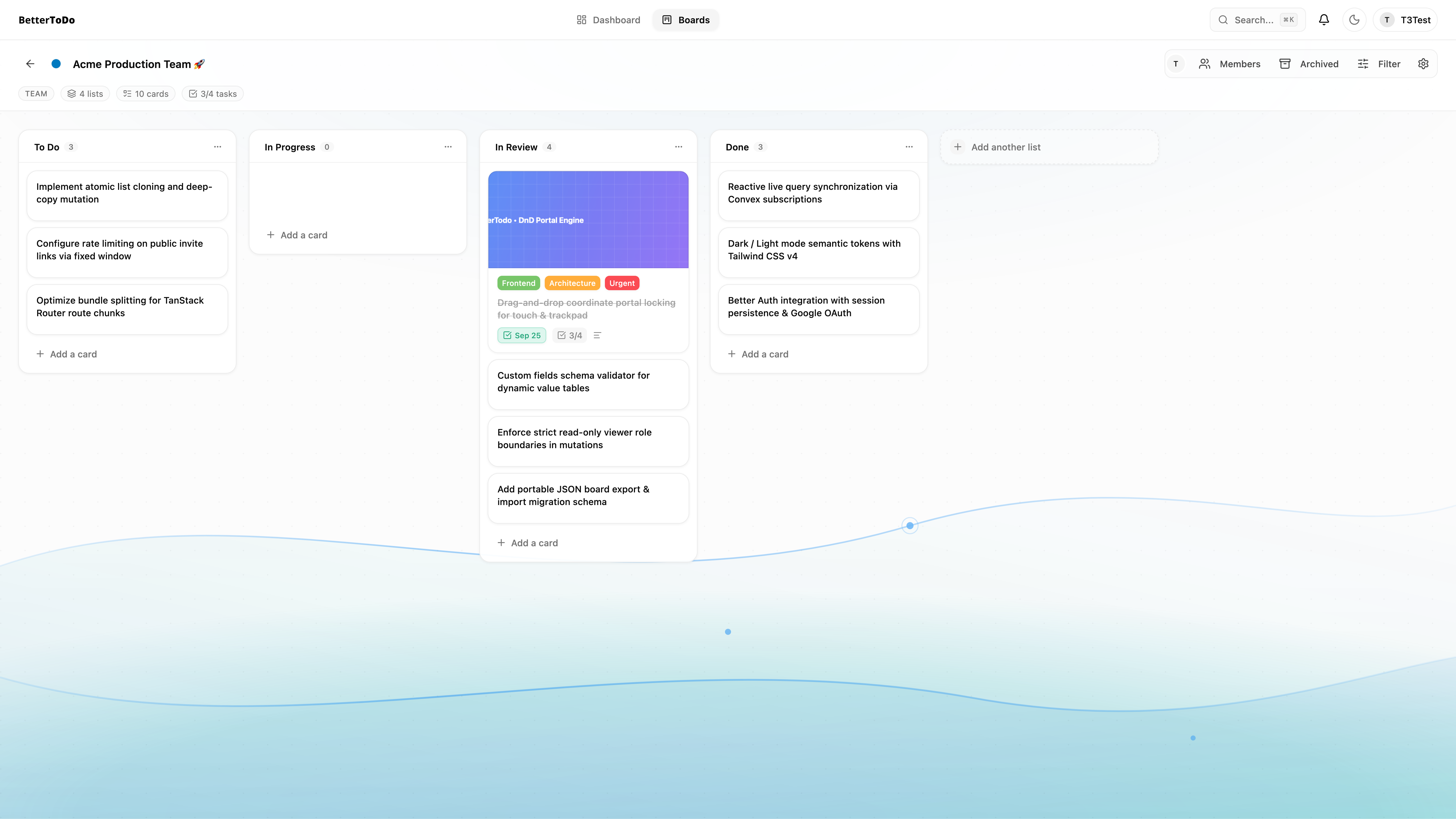
When building Kanban boards, card dragging often breaks inside scrollable containers. If a container uses overflow-x: auto or overflow-y: hidden, dragged items can get visually clipped or cause coordinate jumps near viewport edges.
To fix this, card dragging renders through a portal directly into document.body during active drags, locking the dragged width to a fixed coordinate width. The card floats freely above columns and scrollbars. Dedicated grab handles ensure dragging stays reliable on touch screens as well as trackpads.
Columns also support one-click duplication. Duplicating a column deep-copies every card, checklist item, attachment record, and label join inside a single atomic Convex mutation, making it easy to turn standard sprint lists into repeatable templates.
2. The 2-Column Card Inspector
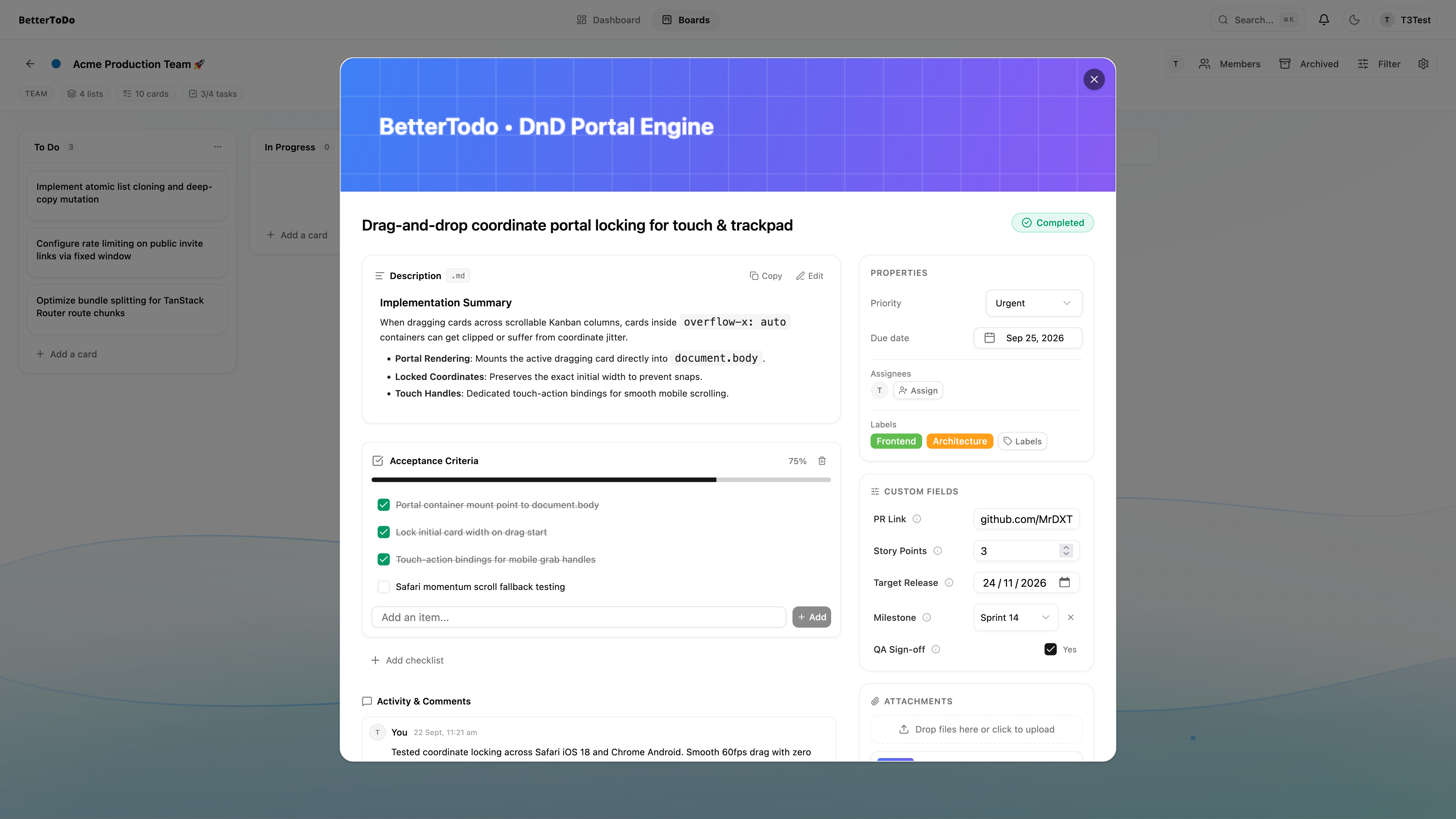
Most task apps stack everything inside a single, endless vertical modal. You end up scrolling up and down constantly just to check off a subtask while reading notes.
BetterTodo separates the inspector into two distinct areas:
- Left Primary Workspace: Houses the main content. It includes an edge-to-edge cover banner, inline title editing (
Enterto save,Escto cancel), a rich markdown description with live preview (Cmd+EnterorCtrl+Enterto save), checklist trees with automatic progress calculation, and threaded discussions. - Right Inspector Sidebar (270px): Handles card metadata and actions. It includes a tactile "Mark Complete" pill that toggles card resolution, priority indicators, compact due date displays, custom fields, file attachments, and actions to duplicate, move, or archive the card.
3. Custom Fields Engine
Different teams need different data on their tasks. An engineering card might need story points or pull request links; an editorial board might need a target publication date and reviewer assignments.
BetterTodo lets board admins define custom fields across five data types:
- Text: Short notes, reference codes, or external links.
- Number: Story points, estimated hours, or budgets.
- Date: Target milestones or delivery checkpoints.
- Select (Dropdown): Single-choice options with custom labels.
- Checkbox: Boolean verification gates or sign-offs.
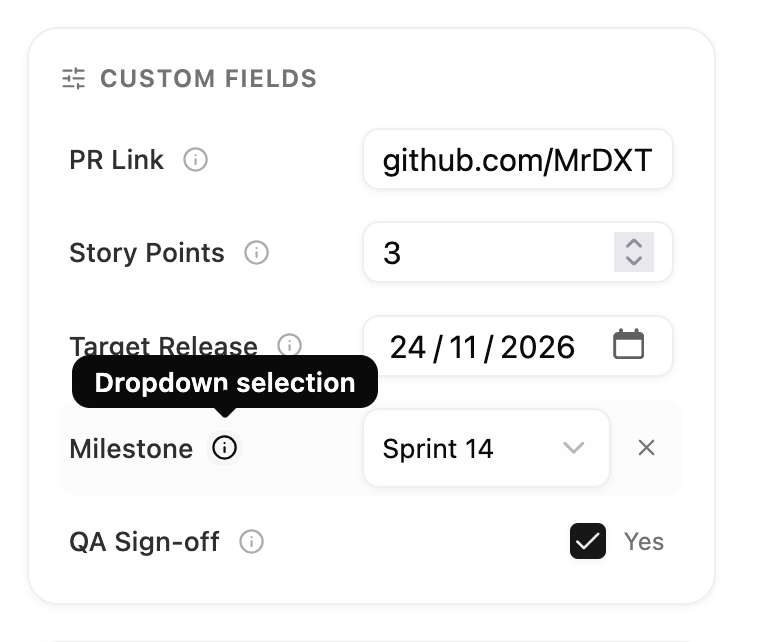
Custom field definitions are managed per board and stored in indexed value tables. If a board has no custom fields configured, the inspector section hides itself automatically to keep the UI clean.
4. Workspaces and Multi-Tenancy
Boards are grouped under workspaces. A workspace acts as the organizational home for a team, department, or client engagement:
- Owner: Full workspace control, member administration, ownership transfer, and workspace deletion.
- Admin: Can invite members via email, update workspace settings, and manage standard members.
- Member: Has access to boards according to board-level assignments.
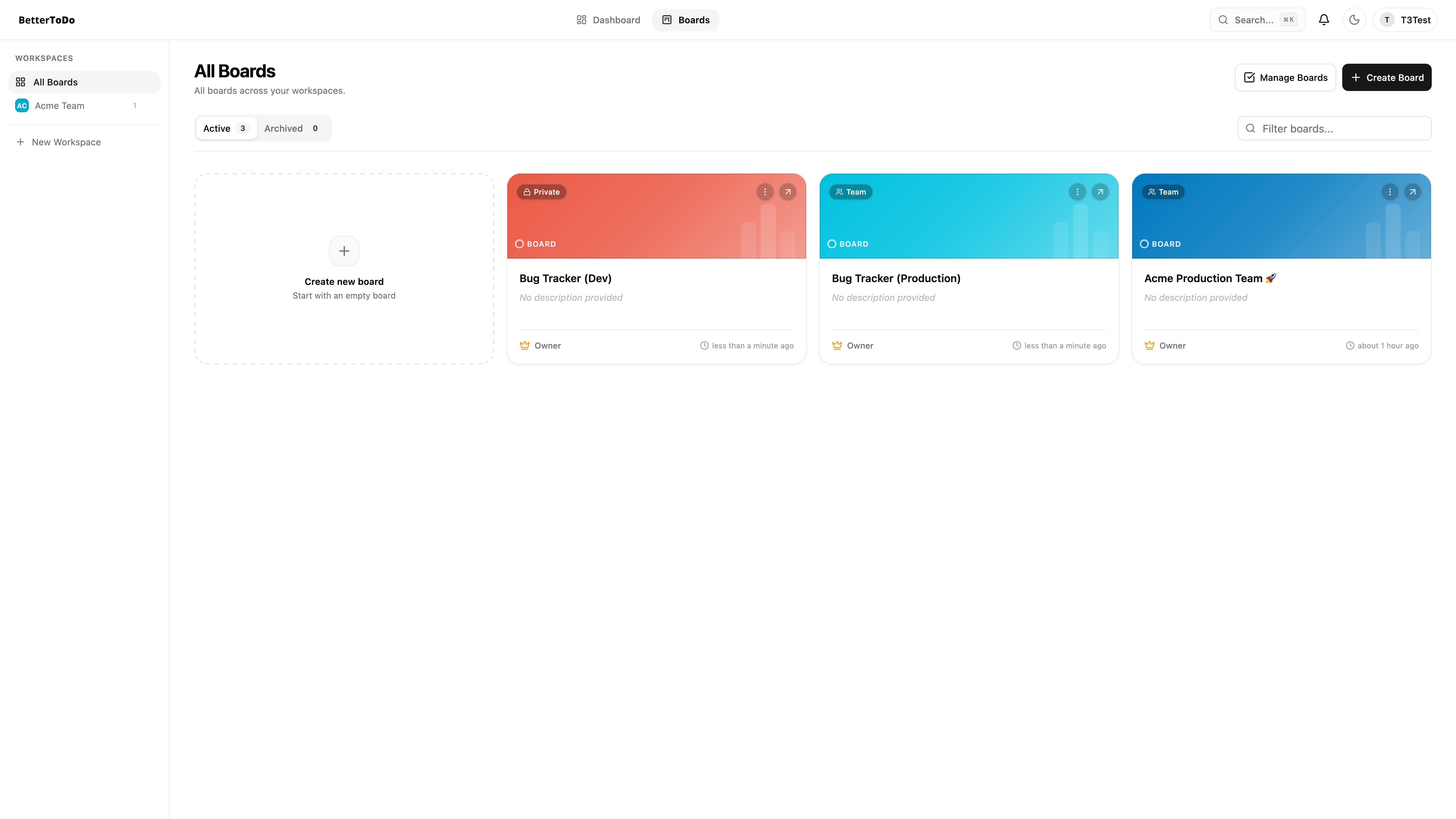
The workspace settings route (/workspaces/$workspaceId) gives admins a central place to manage team members and reallocate boards without hopping between individual project settings.
5. Universal Share Links & Public Invites
Getting collaborators onto a board needs to be straightforward, especially when working with external clients or freelance contributors.
Board owners and admins can generate shareable invite links (/invite/:token) with a predefined role:
- Member Share Link: Grants standard write permissions upon joining.
- Viewer Share Link: Enforces strict read-only access.
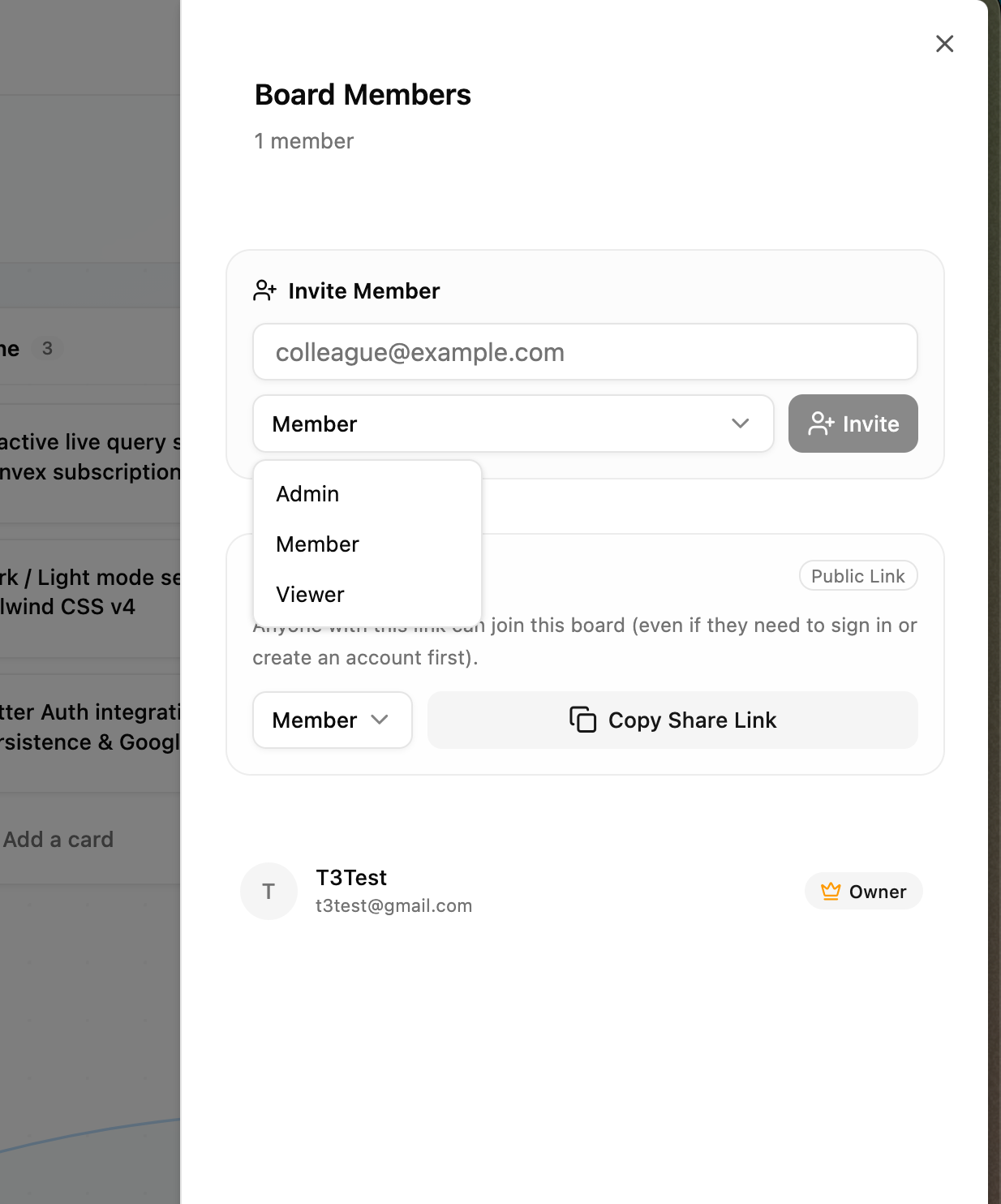
The invite acceptance flow works whether the recipient already has an account or not. Unauthenticated users see a preview of the board name and inviter details, then proceed to sign up or sign in. The system preserves the invite token through the auth flow and enrolls them into the board immediately upon successful login.
Direct email invitations can also be dispatched through Resend, embedding secure join tokens directly in the email body.
6. Read-Only Viewer Mode
Sharing project progress with clients or executives usually carries a risk: someone accidentally drags a card into the wrong list, alters a description, or deletes a checklist item.
BetterTodo enforces a strict Viewer mode at both the UI and database levels:
- Board title, color themes, and settings cannot be modified.
- Column creation, reordering, and deletion buttons are hidden.
- Drag-and-drop handles are disabled.
- The inspector opens in read-only mode, disabling checklist toggles and description editing.
- Every mutating backend function validates the user's role before writing data. If a user with the
viewerrole attempts to invoke a mutation directly, the backend throws an unauthorized exception.
7. System Admin Panel & Governance
For organizations running BetterTodo internally, a dedicated admin panel at /admin gives administrators full visibility over the instance:
- User Directory: View all registered users, signup timestamps, and administrative roles.
- Role Elevation Guardrails: Promoting or demoting a user requires confirmation through a role diff modal to prevent accidental privilege changes.
- Account Deletion: Remove inactive accounts safely with confirmation dialogs.
- Isolated Admin Bootstrap: The initial administrative setup (
auth:createAdmin) is an internal mutation that can only be run via the server terminal or Convex dashboard, keeping administrative elevation off public API endpoints.
8. Data Integrity & Boundary Security
Because BetterTodo is built for multi-tenant and self-hosted environments, backend mutations enforce defense-in-depth checks:
- Internal Mutation Protection: Sensitive functions like notification dispatching and admin creation are marked as internal mutations, ensuring they can only be called from trusted server contexts or the Convex dashboard rather than public client endpoints.
- Cross-Board Boundary Validation: When moving cards between lists, the backend confirms that the source card, source list, and destination list all belong to the same board, and verifies that the destination list is not archived.
- Label and Member Isolation: Adding labels or assigning members to cards verifies that the label and member belong to the card's parent board, preventing data leaks across boards.
- Input Sanitization: Email variables are passed through strict HTML entity escaping before rendering, and notification links are validated against relative URL patterns to prevent open redirects.
9. Board Portability: JSON Export and Import
To prevent vendor lock-in, BetterTodo lets you export and import full boards at any time:
- JSON Export: Downloads the entire board tree, including lists, cards, checklists, custom fields, and labels, into a portable JSON backup.
- JSON Import: Uploads a backup file to reconstruct a new board, recreating all entity relationships and relative positions accurately.
How to Self-Host BetterTodo
Running your own BetterTodo instance takes a few terminal commands:
1. Clone the Repository
1git clone https://github.com/MrDXTR/BetterTodo.git2cd BetterTodo3bun install2. Initialize Convex Backend
1bun run dev:setup3. Set Environment Variables
Configure your Convex environment variables using the Convex CLI:
1npx convex env set SITE_URL "https://tasks.yourcompany.com"2npx convex env set GOOGLE_CLIENT_ID "your-google-client-id"3npx convex env set GOOGLE_CLIENT_SECRET "your-google-client-secret"4npx convex env set RESEND_API_KEY "re_your_resend_api_key"5npx convex env set FROM_EMAIL "tasks@yourcompany.com"Update apps/web/.env with your backend deployment endpoint:
1VITE_CONVEX_URL="https://your-deployment.convex.cloud"2VITE_CONVEX_SITE_URL="https://your-deployment.convex.site"4. Create the First Admin
- Open your deployed app and register an account.
- Find your
_idin theuserstable inside the Convex dashboard. - Run the internal mutation
auth:createAdminwith your user ID. - You now have full access to manage users and workspaces at
/admin.
5. Build and Deploy
1bun run build2bun run --cwd apps/web previewSources & Links
- BetterTodo on GitHub - Open-source repository
- Live Demo - Hosted web application
- Fumadocs Documentation - Guides and architecture docs